00:00
00:00
Bill
Bill Premo @Bill

Age 35

Game Developer

American Academy of Art

Las Vegas

Joined on 7/15/03

Level:
24
Exp Points:
5,920 / 6,400
Exp Rank:
9,376
Vote Power:
6.53 votes
Art Scouts
6
Rank:
Private
Global Rank:
3,748
Blams:
1,356
Saves:
1,171
B/P Bonus:
18%
Whistle:
Bronze
Trophies:
62
Medals:
514
Supporter:
11y 5m 3d
Gear:
3

Bill's News

Posted by Bill - August 3rd, 2026


I was planning on releasing a build of Blast today but it would be a much better user experience overall if I gave it another week to update some of the tools and UX/UI.


The vector engine is near completion for native Blast file types and .fla imported files. I’m still optimizing both but they’re both quite close to being done.


Getting the vector engine to this point of maturity makes it possible to correctly do everything else.


I added action script 2 for scripting and I’ve been able to create a simple game natively and have successfully run a .fla imported as2 game. I still need to do more tests of early versions of .fla this month but the action script 2 is working far better and quicker than I expected.


It’s been 7 months since I’ve started this and I still haven’t taken a day off from it. Optimistically best case we’re 3-4 months away from going open source worst case before the year ends.


I appreciate everyone’s patience and support! I hope to consistently update more as things accelerate.


-Bill


Patreon


Tags:

44

Posted by Bill - May 2nd, 2026


Intro

It's been a few weeks since I've posted. April was mostly tedious small wins that while essential and important aren't the most exciting updates on a weekly basis.

I think I'll have an early build ready around May 15th it'd be an early build focused/centered more on .fla imported drawings and animations.


Context

In my last post I gave a run down of how the native engine imports .fla and edits shapes, but isn't 100% compatible. Its classify-faces approach relies on topology context that's lost on Flash import. (I'll write a post eventually why the native engine was like that in the first place)

Built a second engine specifically for .fla import. The key pipeline pieces are edgefills and contour tracing. Scanline rendering experiments may come in handy later. (spoiler it did)


The main goals from my last post was rendering edgefills in correct order, shapes movable. Same-color fills merging, then different colors cutting/dividing, then wiring those behaviors into the brush and selection tools. (spoiler yep those work)


It turned out a mix of contour tracing with a compound rasterizer (similar/basically the scanline approach I was experimenting with) was the correct approach and what I'm building off of.


The imported dolly.fla dog file was too complex to start off with so I made a simple yellow rectangle.fla to test with.
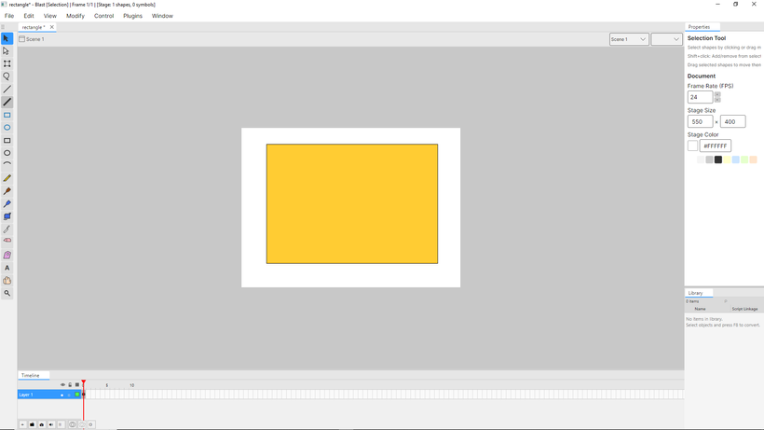
iu_1585306_569588.pngyep that's a rectangle.

Week 1 - Roughly where the last post was made

  • One shape per layer (every layer is a planar edge graph)


When I was researching I read a blog post by Jonathan Gay the creator of flash and he talked about playing with lego's as a kid and how they inspired and influenced how flash works. When I first read it, it resonated with me because I also loved lego's.


At first glance I took it as a metaphor but turns out working with edgefill's and planar edge graphs kinda feels like programming lego's or like trying to pull 2 flat pieces stuck together apart.
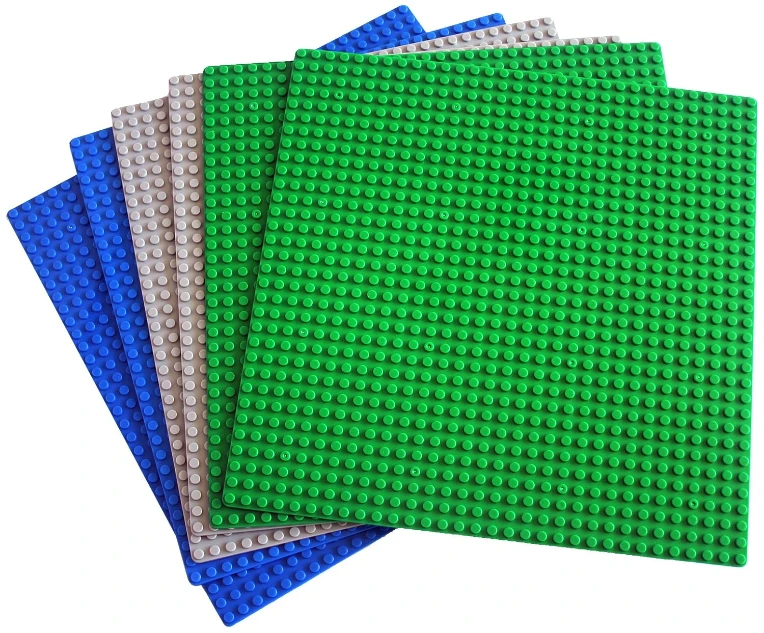
iu_1585308_569588.webpThe correct term is simply "Lego" and not "lego's" but saying "Lego" just gives me the same weird vibe as someone talking in 3rd person.


  • New contour tracer
  • Drag one same-color region without moving the others
  • FLA imports no longer break on tiny coordinate gaps
  • Marquee selection (the click and drag selection) actually cuts geometry, not just selects it

Week 2

  • Imported FLA files render through the same path as drawn shapes
  • Strokes split fills into selectable pieces
  • Same-color fills merge on contact
  • Rectangle and circle tools work with the new engine
  • My friend died from complications with kidney failure
  • He wrote thoughtful and imaginative poetry and it would take him an hour to eat a sandwich
  • His daughter and son-in-law are quite lovely people
  • Fill selection preserves curves instead of flattening them

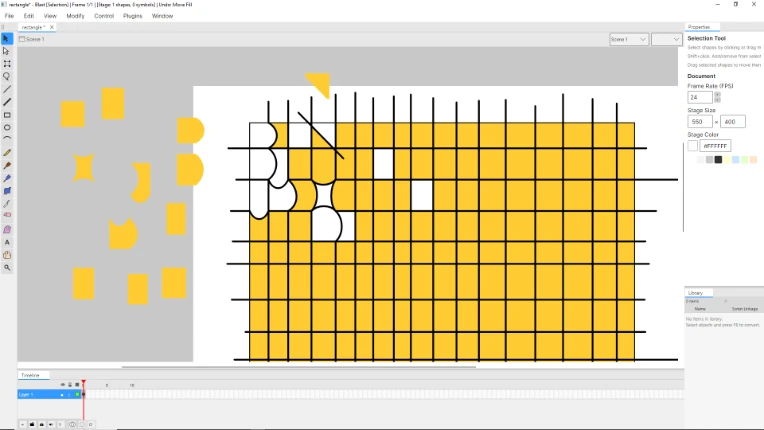
Week 3 - This was when editing and manipulating imported .fla fills/strokes really came together.
iu_1585307_569588.webp

  • Same-color merge no longer crashes on three fill collisions
  • No more accidental merges between different colors
  • Paint Bucket works and fills correctly with strokes
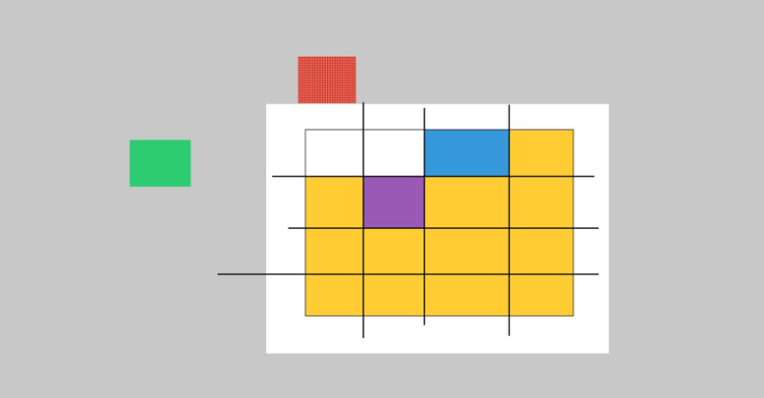
iu_1585309_569588.png

  • Fewer false positive merges near edges
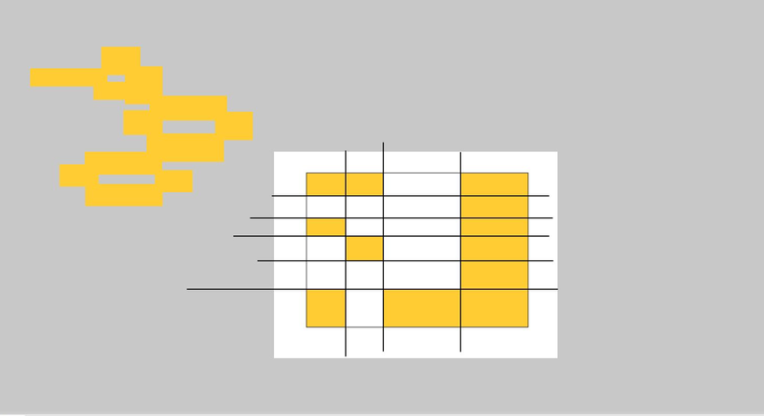
iu_1585310_569588.pngsuccessfully cutting an edgefill into 24 fills with strokes moving 12 out and all 12 merging into 1


Week 4 Refactoring/Clean up Test Harnesses and Multi-region commands.
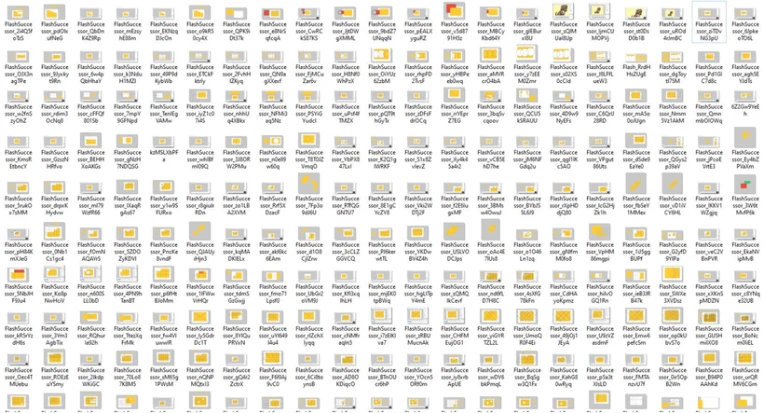
iu_1585311_569588.webpNow imagine all the yellow rectangle tests I didn't screenshot.


This week was a lot of reviewing and refactoring code to solidify what was built. Making sure the foundation was solid before working on the edge-fill brush.

  • Regression test bed running against real FLA files
  • Tracer/rasterizer disagreement now measured and tracked
  • Geometry helpers split out of the main shape class
  • Drag multiple selected regions as one undo step
  • Free transform multiple regions as one undo step
  • Selection survives tool switches
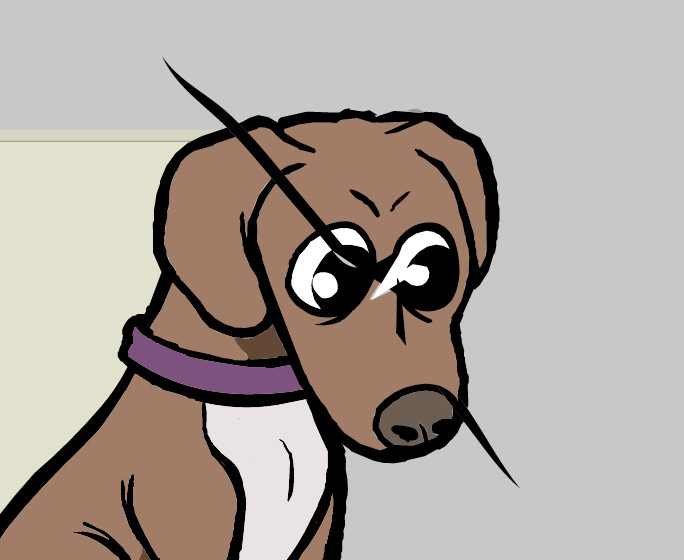
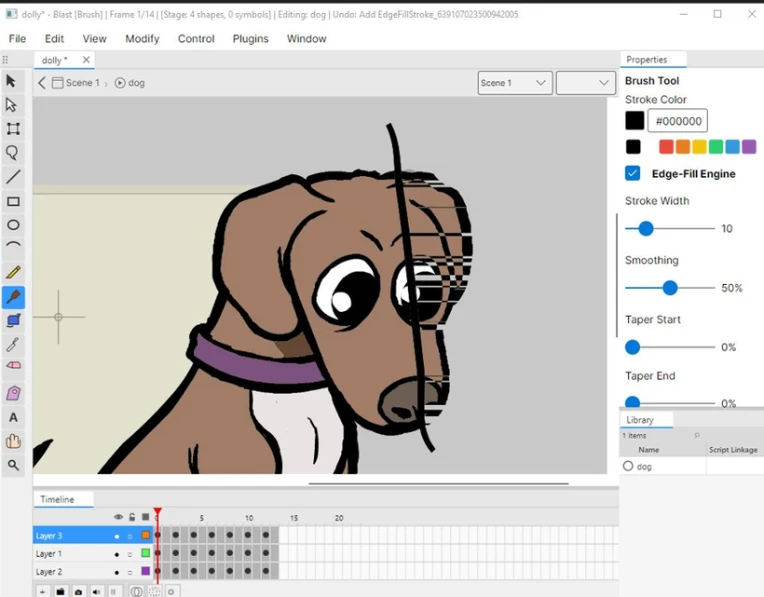
  • Marquee cut crash fixed when marquee selecting on the more complex dolly.fla dog file
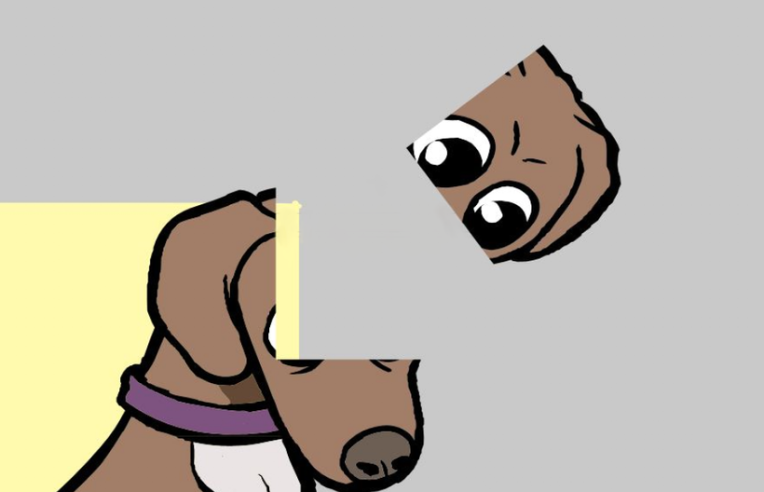
iu_1585313_569588.pngWorks on more than a yellow rectangle.


Week 5 (May) Brush strokes to now
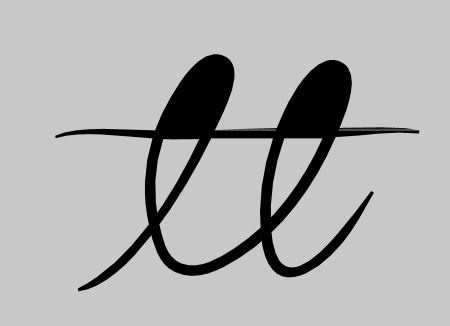
iu_1585312_569588.jpg

early on double loop de loop with intersecting brushstroke hole detecting bug
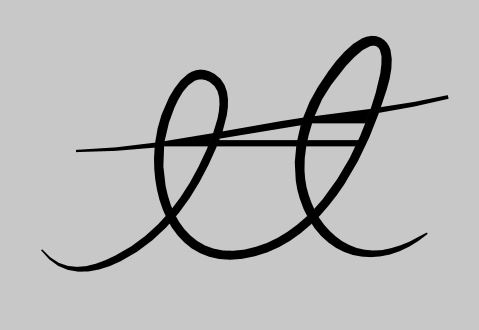
iu_1585314_569588.jpg

intersecting brushstroke would splinter into multiple instead of a single stroke

  • Self crossing brushes no longer leave a transparent sliver
  • Sub-Selection tool updated.
  • Looping brushes correctly form a hole in the middle
  • Brushes drawn over imported rectangles render correctly
  • Different-color strokes cut and render correctly
  • Strokes crossing through another stroke's hole render correctly
  • All of the above survives save and reload
  • Selection works correctly on brush strokes
  • Abruptly end post
  • -Bill

46

Posted by Bill - April 7th, 2026


The native engine I built was able to import .fla and edit the actual shapes and forms but it had inherent structural differences keeping it from being 100% compatible. My native engine uses classify faces which works better when it knows the structure of how shapes got to where they were. When you import a flash file it loses context of the topology.

iu_1570705_569588.png

example of the limitations of classify faces


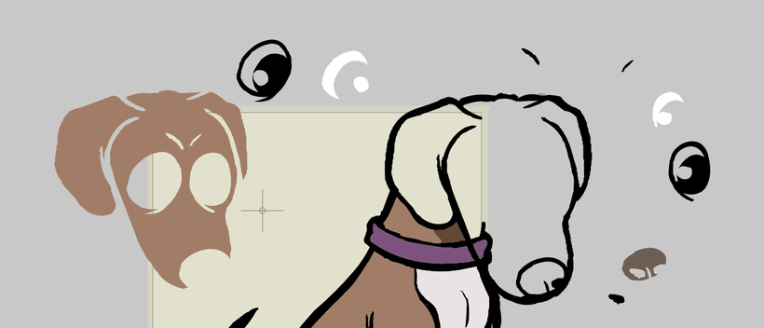
I decided to make a 2nd engine to handle .fla import I've been able to narrow down the key parts of the import pipeline are edgefills and contour tracing for rendering. I experimented with scanline rendering which might come in handy later.


iu_1570706_569588.webp

Result of experimenting with scanline rendering interacting with new brush strokes.


Based on my research (two most helpful being Claus Wahlers and Mike Swanson's work) and my own hands on experimentation with JSFL, it's pretty clear Flash stores shapes as a flat list of edges, straight lines and quadratic curves.

Each edge carries references to the fill on its left side and the fill on its right side. There are no closed paths in the traditional vector graphics sense. To render a shape, it walks the edge list, groups edges by fill style, reverses any edges that were recorded on the 'wrong' side, chains them into closed contours, and then fills each contour with its assigned style.

This 'edge soup' representation is what makes Flash's merge drawing possible. When you paint a new stroke onto a shape, the editor can just toss more edges into the soup, split any edges that intersect existing ones, and reassign fills.


I'm at the point where I've figured out how to render the shapes in the correct order and I'm able move the shapes.

iu_1570707_569588.png

I'm currently working on getting same colored fills to merge the next step will be to get different colors to cut and divide fills and the final step will be applying these behaviors to the brush and selection tool properly.


-Bill


This exact post is also on Patreon I'm proud to say I've worked on this project every single day of 2026 nearly non stop besides sleeping,eating,and walking my dog. Only support the Patreon if you can afford to.


46

Posted by Bill - March 28th, 2026


This week I've mainly been debugging .fla import shape geometry so it converts into Blasts native file format/vector engine so you can edit imported .fla shapes. Instead of writing about that I made 3 videos showing Blast doing things!


Patreon Post with Three fun videos!!!!!!


19

Posted by Bill - March 20th, 2026


Blast

I’m just calling it Blast for now it’s just grown on me. Inspired by Flash I’m aiming to build a creative tool that includes drawing, animation, scripting for building games. I loved how effortlessly Flash brought animators and game developers together through online communities like Newgrounds. I've been using Flash for 24 years so it’s just been a big part of my life.

There's no public build yet. I was aiming for an early build out this month but April is probably far more realistic. I made a lot of progress on importing .fla files for compatibility but it’s way more practical on the technical side to narrow my scope to doing a one way import from .fla to Blast’s native file format because it'll be able to do more.


I want to get this into people's hands as quickly as possible but I'm in it for the long haul to make it the best it can be.


A Note on How This Gets Built

I want to mention I've been using Anthropic's Claude AI heavily throughout this project as a pair programmer, code reviewer, and architecture sounding board. It makes building Blast as a solo dev a lot more realistic.

To put it in perspective: when I first scoped this project, the estimate was roughly three years of development with a small team. I've almost hit that level of progress in about two and a half months of nonstop solo work. It's not magic, it's just removing the bottleneck of being one brain working alone.


I also want to be upfront about this because I think there's a real ethical question around AI disclosure that the dev community hasn't fully figured out yet. A lot of people are quietly using AI tools in their workflow and not saying anything and I get why there's a stigma around it. I think being transparent about it matters, especially when people are supporting you financially. You deserve to know how the thing you're backing actually gets made. I'm still spending every possible waking hour working on this. AI is part of the process, and I'd rather be honest about that than pretend it isn't.


One more thing on this topic: I have no intention of adding AI features into Blast itself. No "generate art for me" buttons, no AI-assisted animation, none of that. Blast is a creative tool for people who want to create, and I want to keep it that way. AI helps me build the tool, it won't be inside the tool.


-Bill


76

Posted by Bill - March 10th, 2026


This is basically a copy of my patreon post without the .fla importer video attached I forgot how to add videos to ng posts and I desperately need to take a shower.


Well I didn't expect this much support this quickly, this is the first time I've ever done a Patreon I'll make sure to have weekly updates. Thank you all who've supported I'm still a little shocked it blew up.

Important Things to Mention

This project will be open source but I'd like to finish building what I have before doing so. Open source means a lot of different things to a lot of different people and I want to make sure it's done in the right way.


I haven't released an early build yet but it's quite possible one will be available by the end of the month. I don't want to mislead anyone into supporting the project just because there might be one by then.

Cool Things I've Improved


I've been hardening the vector engine further which impacts how the brush and all the drawing tools perform. Flash was the only program that used the merge drawing model, most modern vector tools use an object-based model.

With all the research I've done I've built a merge drawing engine that's never existed before so I want to make sure it's as robust as possible before letting it loose. Macromedia shipped Flash with a merge drawing model that wasn't entirely solved and had it's own problems. I love how it works and feels but I'm aiming for something better.

The other improvement this week has been hardening the .fla importer I'm still working on sound and bitmap fixes. I'll show a more complex .fla soon but here's a demonstration of a simple fill background with a graphic symbol of my dog wagging it's tail. I'll get a better screen recording program soon to show off more features.


What it supports so far!

Document level:

  • Stage width, height, frame rate, background color
  • Multi-scene timelines
  • Two-pass symbol library loading (definitions first, then references)
  • Subfolder path preservation (Duplicate Items Folder/Symbols)

Symbols & instances:

  • SymbolDefinition parsing from LIBRARY XML files (Graphic, MovieClip, Button types)
  • SymbolInstance with libraryItemName resolution, name, transform
  • Graphic loop modes (Loop, PlayOnce, SingleFrame) and FirstFrame
  • Registration point / transformationPoint on symbols
  • Color effects: alpha, tint, brightness, advanced RGBA multiply+offset
  • Blend modes (multiply, screen, overlay, darken, lighten, etc.)
  • Filters (blur, drop shadow, glow) with all parameters
  • Instance visibility

Shapes:

  • DOMShape with transform matrix
  • Fill styles: SolidColor (with alpha), LinearGradient, RadialGradient (with matrix, stops), BitmapFill
  • Stroke styles: SolidStroke with weight, caps, joints, miterLimit, scaleMode, pixelHinting
  • Edge parsing (quadratic edge data with fillStyle0/fillStyle1/strokeStyle associations)
  • Primitive shapes: DOMRectangleObject, DOMOvalObject, DOMRectanglePrimitive, DOMOvalPrimitive

Bitmaps:

  • DOMBitmapItem media parsing (PNG from FLA ZIP)
  • DOMBitmapInstance with transform, color effects, blend modes, filters
  • frameRight/frameBottom stored (as metadata, not used for resize)
  • Bitmap .dat format (ZLib/Deflate)

Text:

  • DOMStaticText to RichTextObject with per-run font, size, bold, italic, color, letter spacing, alignment, margins
  • DOMDynamicText to TextObject with first-run formatting
  • DOMInputText to TextObject with Editable=true
  • Paragraph splitting on newlines

Timeline:

  • Layers: name, visible, locked, type (Normal, Guide, Mask, Folder, Camera, Sound), outline color
  • Keyframes: startFrame, duration, frame labels (name, labelType)
  • Classic tweens (tweenType="motion") with rotation direction/count
  • Motion object tweens (isMotionObject)
  • Shape tweens
  • Legacy easing (-100 to +100) and custom easing curves (hasCustomEase)
  • Motion guide extraction (guide layer path to MotionPath on guided layer's keyframes)
  • Mask layer to parentLayerIndex linking
  • Folder layer hierarchy

Camera:

  • Camera layer detection
  • Camera symbol instance extraction for camera properties

Groups:

  • DOMGroup with transform, blend mode, filters, recursive member parsing

Thanks again for supporting if I haven't responded to messages or comments I'm not ignoring anyone on purpose it's just been a lot all at once and I hope to get around to those. I just want to keep building this. 


37

Posted by Bill - March 3rd, 2026


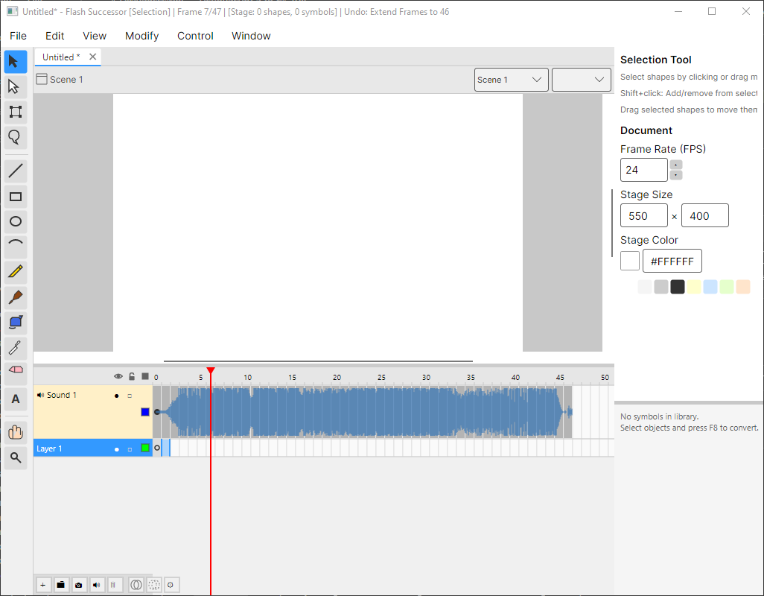
I don't know where to start with this but yeah I'm making flash if flash was built in 2026. I'm making it compatible with Linux,Mac, and PC. If you'd like to support this project I've started a patreon I'll still post updates here on Newgrounds though :)


It’s a full 2D animation authoring tool — timeline, drawing tools, symbol library, tweening, scripting, the works — built from the ground up in C# with Avalonia and SkiaSharp.


This isn’t a proof of concept or a weekend project. It’s a real authoring environment. Here’s where things stand:


Drawing engine — I built a vector engine based on a DCEL (doubly-connected edge list) data structure. If you’ve ever used Flash’s merge drawing mode where shapes eat into each other, that’s what this replicates — and it supports all five of Flash’s original paint modes. Paint Normal, Paint Behind, Paint Fills, Paint Selection, Paint Inside. The whole set.


Timeline — Keyframes, frame-by-frame, onion skinning. It works the way you expect it to if you’ve spent any time in Flash.


Shape tweening — Actual shape tweening with contour correspondence. Not just morphing a bounding box.


Symbol library — Graphic symbols, movie clips, the whole organizational structure Flash users rely on.


.fla / XFL import — This is the one I’m most proud of. You can open your old Flash files. As far as I know, this is the only open-source tool that functions as a full authoring environment and can actually import .fla files. Not just play them back — edit them.


Scripting — I’m building a dual-surface scripting system using Roslyn (the C# compiler). One surface for authoring-time scripts (think JSFL but way more powerful), one for runtime frame scripts (think ActionScript but in C#). I’m also planning an ActionScript-to-C# transpiler so imported .fla scripts aren’t just dead code.


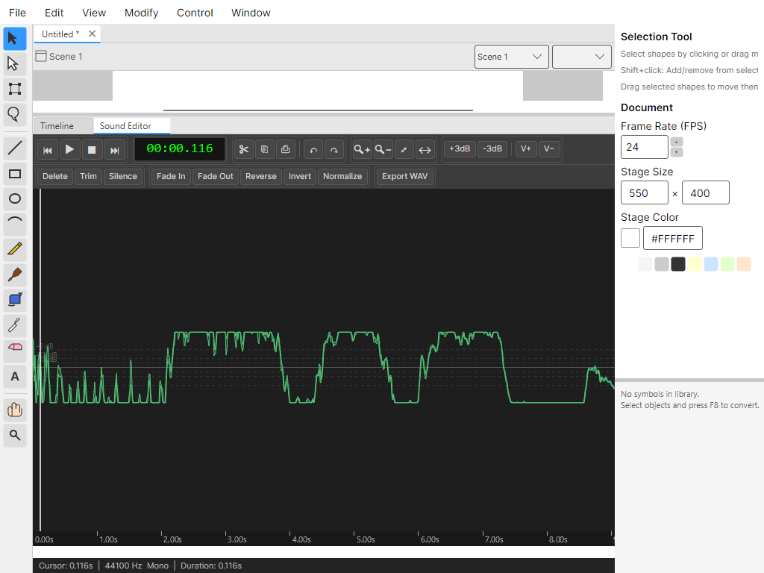
Sound editor — Embedded, built on SkiaSharp waveform rendering.

iu_1550823_569588.png


iu_1550824_569588.png

This is a brief run down of everything there's so much already and I'm constantly adding more. If you'd like to support this project I've started a patreon it'd be awesome to build a dedicated team to making this even better.


Core

  1. Multi-document tabs — Open multiple projects simultaneously in docked or floating windows.
  2. Auto-save — Periodically saves project progress automatically.
  3. Project serialization — Save/load as folder-based or compressed .anim files using JSON + SkiaSharp.
  4. Scene management — Supports multiple scenes per document.
  5. Stage configuration — Customizable canvas dimensions, background color, and frame rate.

Drawing Tools (17)

  1. Selection Tool — Move, transform, and merge-on-drop objects.
  2. Subselection Tool — Edit individual bezier control points and path endpoints.
  3. Brush Tool — Freehand drawing with pressure sensitivity, smoothing, and five paint modes (Normal, Fills, Behind, Selection, Inside).
  4. Pencil Tool — Precise pen-like stroke drawing.
  5. Line Tool — Draw straight lines with optional angle-lock increments.
  6. Rectangle Tool — Create rectangles with optional corner radius.
  7. Circle Tool — Draw circles and ellipses.
  8. Arc Tool — Create arcs with customizable start angle, end angle, and radius.
  9. Eraser Tool — Erase content with adjustable brush size.
  10. Free Transform Tool — Move, scale, rotate, and skew objects with interactive handles.
  11. Paint Bucket Tool — Fill regions with color and sample via Alt+click.
  12. Eyedropper Tool — Sample colors from any drawn element.
  13. Text Tool — Create and edit text objects with live preview.
  14. Hand Tool — Pan the canvas by dragging.
  15. Zoom Tool — Click to zoom in or drag-to-rect zoom.
  16. Lasso Tool — Free-form selection of multiple objects.
  17. Camera Tool — Control a virtual camera with pan, zoom, and rotation per frame.

Object Types

  1. Shape Objects — Vector shapes with fill/stroke properties composed of VectorPath segments.
  2. Text Objects — Editable text with font, size, color, and alignment options.
  3. Rich Text Objects — Text rendered as glyph outlines with per-character gradient/pattern fills.
  4. Bitmap Objects — Imported raster images with transform support.
  5. Symbol Instances — Reusable instances of library symbols with independent transforms.

Symbol System

  1. Graphic Symbols — Reusable symbols whose timelines sync to the parent timeline.
  2. MovieClip Symbols — Self-contained symbols with independently playing timelines.
  3. Button Symbols — Interactive buttons with Up, Over, Down, and Hit states.
  4. RichText Symbols — Specialized symbols for rich text rendering with animation.
  5. Symbol Library — Centralized repository of all reusable project assets.
  6. Convert to Symbol — Dialog to turn selected objects into new reusable symbols.

Timeline & Animation

  1. Multi-layer timeline — Layer organization with visibility toggling and locking.
  2. Layer types — Normal, Guide, Mask, Folder, Camera, and Sound layers.
  3. Layer folders — Parent-child hierarchy with expand/collapse.
  4. Keyframe system — Multiple keyframes per layer at arbitrary frames.
  5. Classic Tween — Smooth property interpolation between keyframes.
  6. Motion Tween — Path-based animation with optional rotation alignment to path.
  7. Shape Tween — Morphing between shapes using mesh/SDF-based interpolation.
  8. Easing functions — Linear, Quad, Cubic, Sine, Expo, Back, Bounce, Elastic (In/Out/InOut).
  9. Custom easing — Cubic-bezier control points (CSS-style).
  10. Frame-by-frame animation — Individual frame labeling and navigation.
  11. Motion path editing — Visualize and edit motion tween paths with bezier handles.
  12. Camera animation — Animate zoom, pan, and rotation across frames on a camera layer.
  13. Sound layers — Attach audio with sync modes (Event, Start, Stop, Stream) and repeat counting.
  14. Sound playback — Frame-accurate audio synchronization during animation preview.
  15. Guide layers — Reference content that doesn't appear in final output.
  16. Mask layers — Mask content on layers below.


Styling

  1. Fill styles — Solid colors, linear gradients, radial gradients, and pattern fills.
  2. Stroke styles — Configurable width, color, line cap, line join, and miter limit.
  3. Alpha transparency — Per-object opacity values.
  4. Color picker — HSV wheel with saturation/value square.


Filters & Effects

  1. Blur filter — Separate X/Y blur with quality settings.
  2. Drop Shadow — Configurable color, angle, distance, blur, and strength.
  3. Glow filter — Color and blur intensity for glow effects.
  4. Bevel filter — 3D embossed effects.
  5. Adjust Color — Hue, saturation, brightness, and contrast adjustments.
  6. Filter chaining — Compose multiple filters per object.


Selection & Transformation

  1. Marquee selection — Rectangle selection with add/remove/intersect modes.
  2. Lasso selection — Free-form multi-object selection.
  3. Object transform — Move, scale, rotate, and skew individual objects.
  4. Group transform — Batch transformation of selected objects.
  5. Path bending — Curve manipulation on selected paths.
  6. Endpoint snapping — Connected endpoint snapping when dragging path endpoints.


Alignment & Distribution

  1. Alignment — Align left, center, right, top, middle, bottom.
  2. Distribution — Distribute spacing horizontally and vertically.
  3. Align reference — Align to stage or to current selection.


Undo/Redo

  1. Undo/Redo — Full history with up to 100 undo steps.
  2. Mergeable commands — Group similar operations (e.g., continuous dragging) into one undo step.
  3. Batch commands — Group multiple operations into a single undo entry.


Import/Export

  1. XFL import — Parse and load Adobe Flash .fla files (ZIP with XML).
  2. Flash edge/style mapping — Convert Flash shapes to FlashSuccessor's internal format.
  3. SWF export — Compile project to Flash SWF binary format.
  4. HTML5/Canvas export — Export to self-contained HTML5 with JavaScript Canvas 2D playback.
  5. Shape compiler — Convert vector paths to SWF shape records.
  6. Tween baking — Pre-compute animation frames at export time.
  7. Bezier conversion — Cubic-to-quadratic bezier conversion for SWF compatibility.


Scripting & Automation

  1. C# scripting engine — Author scripts (JSFL-equivalent) compiled with Roslyn.
  2. Frame scripts — C# code executed when the playhead enters a keyframe.
  3. Document API — Script access to document properties, scenes, and library.
  4. Timeline API — Script control of playback, frame navigation, and keyframe manipulation.
  5. Layer API — Script access to layer properties and organization.
  6. Selection API — Programmatic object selection and manipulation.
  7. Element API — Script creation and property modification of display objects.
  8. Graphics API — Vector drawing commands from script.
  9. Library API — Script access to symbols and assets.
  10. Frame API — Frame labeling and navigation from script.
  11. AS3 to C# transpiler — Convert ActionScript 3 code to C# for backward compatibility.
  12. AS3 lexer/parser — Full ActionScript 3 syntax analysis.
  13. Script playback engine — Runtime globals for animation testing during playback.
  14. Input API — Detect keyboard and mouse input during playback.
  15. Output panel — Script logging and debug message display.


Audio

  1. Sound editor panel — Waveform display with zoom and selection.
  2. Audio buffer editing — Cut/copy/paste with undo/redo.
  3. Audio playback preview — Timeline-synced audio controls.
  4. Waveform rendering — Visual waveform feedback.
  5. NAudio integration — Audio I/O and playback via NAudio library.


Rich Text & Formatting

  1. Text field properties — Font family, size, color, bold, italic.
  2. Text alignment — Left, center, right, justify.
  3. Character properties — Letter spacing and auto-kerning.
  4. Paragraph properties — Line spacing, paragraph spacing, and margins.
  5. Block layout engine — Text wrapping and multi-line rendering.
  6. Glyph path rendering — Convert text to vector outlines for animation.


UI/UX

  1. Docking panel system — VS-style docking with left, right, and bottom zones.
  2. Floating windows — Detach any panel into a separate window.
  3. Auto-hide strips — Quick-access panel strips that slide out on hover.
  4. Tabbed documents — Manage multiple open projects via tabs.
  5. Properties panel — View and edit selected object properties.
  6. Library panel — Manage symbols and assets visually.
  7. Tools panel — Tool selection and per-tool options.
  8. Timeline panel — Visual keyframe scrubbing and frame navigation.
  9. Zoom dropdown — Preset zoom levels including fit-to-stage and 100%.
  10. Color picker panel — Integrated color selection UI control.
  11. Width profile editor — Edit stroke centerline width curves visually.

Tags:

734

Posted by Bill - May 19th, 2021


26

Posted by Bill - March 18th, 2021


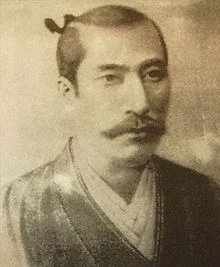
Oda Nobunaga

iu_260324_569588.jpg


Tags:

34

Posted by Bill - July 15th, 2015


My account is 12 years old today, I've spent half my life on newgrounds.

I've got a couple of projects in the works right now.

here's this painting of Fawkes from fallout3 I did a week ago

http://www.newgrounds.com/art/view/bill-premo/fawkes

There should be some new cartoons out sometime next month !wow! !bye!


3